
If you got some of these errors when try create the signature of your app (or try run calabash-android run) on Android:
> fingerprint_from_apk': No RSA file found in META-INF. Cannot proceed.
(RuntimeError)
Or
> jarsigner: unable to open jar file (When try re-signed)
Try these steps:
– Verify if the file zipalign is inside of the folder sdk/tools.
– If the zipalign don’t exist inside the tools folder, download on this link :
– Give the execute permissions:
chmod 777 zipalign
– Open the Eclipse, Click in Preferences:

– Open the Android Tab, Click on Build, Click on Apply and OK:
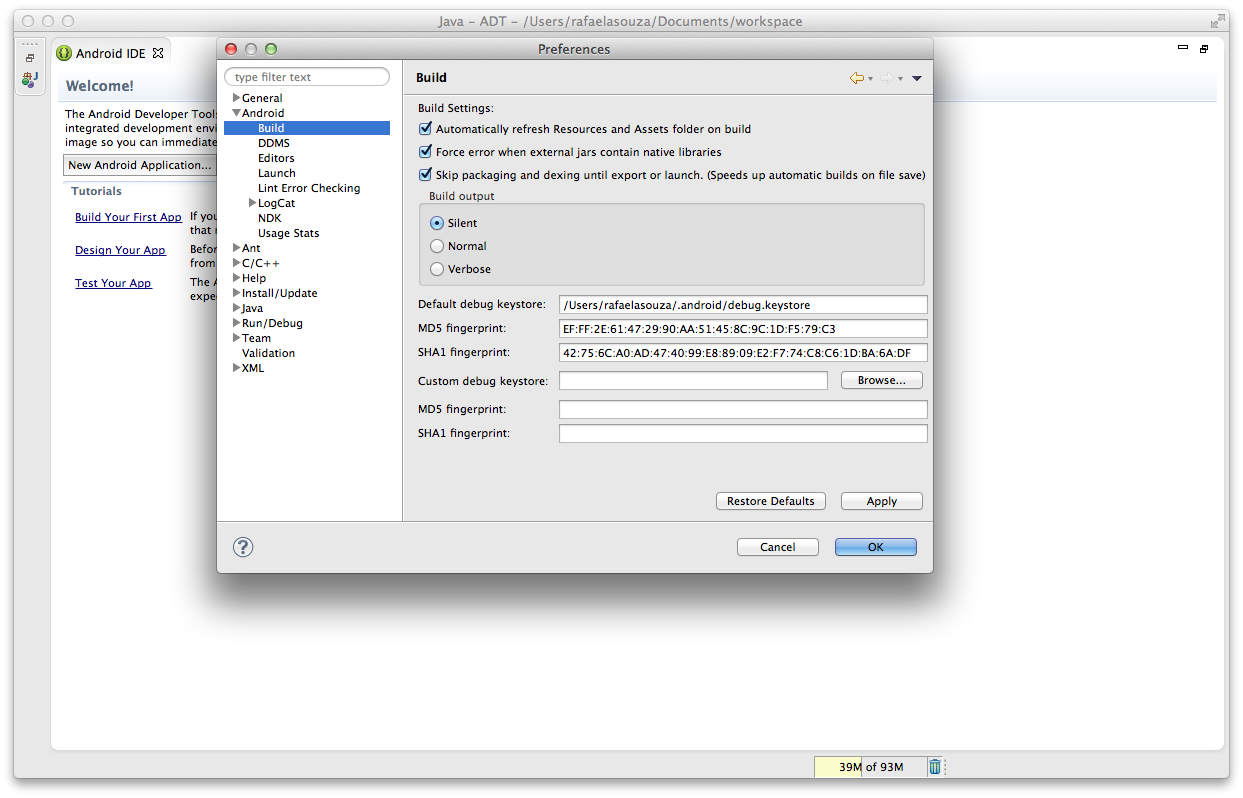
– Try runs the command again:
calabash-android resign NAMEAPP.apk
– After try run the cucumber again 🙂
calabash-android run NAMEAPP.apk
Worked for me !
Bye guys 🙂
 Rafaela Azevedo