
Hey guys, jump on https://www.youtube.com/watch?v=2yN53k9jz3U and watch the GTAC2016. #gtac2016
Hey guys, in this article I will not talk about automation tools or automation frameworks, but I will talk about how to set the strategy and choose the key scenarios and priorities to build your automation strategy.
Who is most interested to have automation tests running ? Quality Assurance team.
Why ? Because the regression tests that are always performed by the QA engineers will now be performed by automated scripts. They use the automation to run detailed, repetitive, and data-intensive tests automatically.
It helps to improve software quality and make the most of their always-limited testing resources. Automated testing will shorten your development cycles, avoid repetitive tasks and help improve software quality.
Why should we implement an automation test project ?
For a manual testing project the cost consuming factors are:
For an automation project, in addition to the above items it needs also:
What determines the success of your automation ?
“Are you able to generate a better ROI (Return on Investment) in comparison to the manual route”? – If not immediately, eventually.
Resources:
https://smartbear.com/learn/automated-testing/best-practices-for-automation/
http://www.softwaretestinghelp.com/automation-test-palnning/
Hey guys, I am going to post a pdf wit the 5 stages of mobile quality, very interesting and you can find what is the stage of your company. You can download the pdf on the link below.

Font: Perfecto mobile
Hello guys,
Today I will post the link for a project on github that contains a basic setup to run your automation on Selenium and Cucumber with Maven on Eclipse.
https://github.com/rafaelaazevedo/cucumber-maven-selenium
Don’t forget to change the path of the chrome driver, features folder and glue package.
The project is on github, so feel free to clone and use as you want. We usually forget about how to do this first configuration as we just need to do in the beginning of the project. Hope this makes you save some time xD
Hey hey hey guys, today I will post about how to manage a risk analysis and what type of questions you should ask when descoping scenarios from your regression pack.
Regression coverage isn’t a question of the number of cases as much as covering the conditions that
Regression testing that addresses all three aspects should guide your testing efforts more than focusing on the number of cases.
Assessing coverage by the number of test cases is difficult — one case can cover many conditions or one case could provide coverage of only a single condition. If I provided a response by a metric of one case will cover what is needed, you might be underestimating regression testing that such a response would be potentially dangerous or misleading. So addressing the question how I would plan regression testing might be more practical. The questions you should keep in mind are:
You can find some techniques to develop a risk analysis:
If you are in a small company, like a startup, my opinion is: You can write the scenarios for you regression pack and ask for some developer to review it. So, you will have a regression pack built with their product code knowledge and you with your global view. QA ends up with factual data on what areas and functions of the application are most critical.
Finally, you put together a regression pack that focuses the higher priority functions while exercising the lesser functions less in depth. The key is to test the higher risk areas first and frequently, while still testing the lesser risk functions more superficially or via rotating test suites based on priority or risk.
It seems too simple, but it works to improve communication between team members while also documenting application functionality.
Stay updated with the last features, your regression pack needs to be fresh with the scenarios. Each new version will contain some new feature as it also can remove an old one. It’s important to try to execute that final test cycle with the freshest view you can.
Resources:
http://istqbexamcertification.com/what-is-risk-analysis/
http://www.growingagile.co.za/2012/12/breaking-down-user-stories/
http://searchsoftwarequality.techtarget.com/answer/Regression-testing-How-to-select-test-cases
Hey guys, today I will post about one of the approaches for web automation. This is a general strategy, which I always try to follow, but depending of the situation you need to adjust and change some priorities.
So, choose the basic/critical scenario which is the MVP first and implement it. After all the basic scenarios are implemented you can start to think about the others.Doing this, it will save time when doing the regression tests. Separate your automation in phases like, first phase, basic scenarios, second phase, second priority scenarios and so on. So, you don’t get annoyed by taking so much time trying to implement one complete feature. You do the basic things, let the automation working and move to the second phase.
So, this is the time that you can go back and change/add little things to improve your automation. For example, if your scenarios are not independent, you can implement some checks and make them run by themselves. This will save time when you run a single scenario.
So, you need to be aware of what is more important, choose the most used and delivery the automation in a short time or take more time to delivery the automation and it will be ready for all browsers already.In my opinion, I prefer to focus on the most used browsers and then implement other browsers in the next phase. When you are implementing one scenario for all browsers, it could be hard to focus and find the issue, since every time you run, it will be running on different browser instances. Same for mobile browsers, this should be done in another step. But again, this depends of the priorities of your project.
Thank you guys ! See you next week !
Resources:
https://www.atlantbh.com/five-important-aspects-of-successful-test-automation-approach-in-agile/
Hi guys, today I am going to talk about how to better architect your test code and obtain better cross-platform code reuse.
The idea is that you provide an implementation of page objects for each platform you need to support (e.g. iPhone, iPad, Android phone, Android tablet, mobile web, desktop web,…).
While originating in web testing, the ideas of POP apply equally well to native mobile. The most obvious benefit of this is abstraction and reuse. If you have several steps needing to navigate to details, the code is reused. Also, callers of this method need not worry about the details (e.g. query and touch) or navigating to this screen.
Working this way gets you complete reuse of Cucumber features as well as step definitions: the details of interacting with the screen is pushed to page object implementations.
Scenarios should be written like a user would describe them. Beware of scenarios that only describe clicking links and filling in form fields, or of steps that contain code or CSS selectors. This is just another variant of programming, but certainly not a feature description.
Declarative features are vivid, concise and contain highly maintainable steps.
For example:
Scenario: Valid login credentials
  Given I am on login page
  When I enter valid credentials
  Then I should be redirected to the management page
For each screen you want to automate, decide on an interface for a page object class (e.g. like LoginScreen). This means that the calling code, which is usually in a step definition, is independent of platform – hence it can be reused across platforms. For each supported platform, define a class with implementations of the page-object methods.
Use only custom steps, and in each step definition only use page objects and their methods (no direct calls to the framework (Calabash, Selenium, Appium, Robotium).
This comes in handy when a step extends another step’s behaviour or defines a superior behaviour that consists of multiple steps. You should try to reuse steps as often as possible.This will improve the maintainability of your app: If you need to change a certain behaviour, you just need to change a single step definition.
For example (Using javascript and protractor):
 this.Given(/^I am on login page$/, function() {
    loginPage.openLoginPage();
 });
Thank you guys ! See you next week !
Resources:
https://developer.xamarin.com/guides/testcloud/calabash/xplat-best-practices/
adb start-serveradb kill-serveradb devicesadb logcatadb pull [device file location] [local file location]adb shell screencap -p /sdcard/screenshot.pngadb shell screenrecord /sdcard/Bug1234Video.mp4adb install com.myAppPackageadb uninstall com.myAppPackage
adb shell monkey -p com.myAppPackage -v 10000 -s 100adb shell am start -a android.intent.action.VIEW
adb shell
adb remount
Thank you guys ! See you next week !
Resources: http://adventuresinqa.com/2016/04/19/powerful-adb-commands/
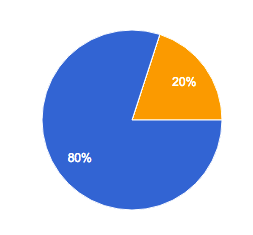
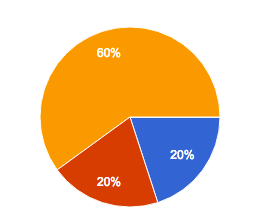
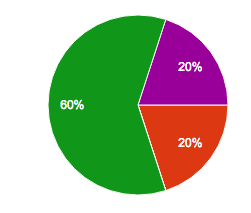
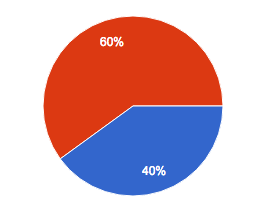
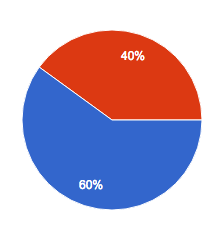
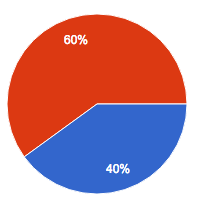
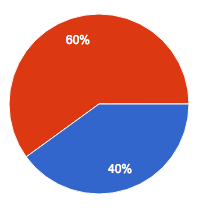
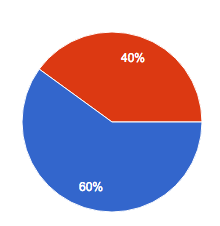
Hey guys, I sent a form with some questions about the QA process in different corporations and I will post the result here, it’s interesting to know how the majority is working nowadays 🙂
Hey guys, today I will post a webinar that I’ve watched last week. It’s about the challenges of test automation:
Here is the video, but you can have a look on the slides on the link below:
 Rafaela Azevedo