How to test angular and non angular pages with protractor

As you know Protractor is known as the best compatible automation framework for angular sites, since it awaits for angular to do his work and you don’t need to use waits methods. But what if you have an angular site that has some non angular pages ? How can you proceed ?


Protractor provides the means to test angularjs and non angularjs out of the box. The DSL is not the same for angular and non angular sites.

AngularJS:

element.find(By.model('details'))

The element keyword is exposed via the global, so you can use in any js file without need to require it. You can check on your runner.js that you are exporting all the necessary keywords.

// Export protractor to the global namespace to be used in tests.
    global.protractor = protractor;
    global.browser = browser;
    global.$ = browser.$;
    global.$$ = browser.$$;
    global.element = browser.element;


NonAngularJS: You may access the wrapped webDriver instance directly by using browser.driver.

browser.driver.find(By.model('details'))

You can also create an alias for this browser.driver. This will allow you to use elem.find(by.css(‘.details’)) instead of using browser.driver. for example:

onPrepare: function(){
      global.elem = browser.driver;
      }

So, how can you use the same DSL for non-angular and angular pages ? You will need to ignore the sync, keep in mind that once you set this value, it will run for the entire suite. This will allow you to start using the same DSL.

onPrepare:function(){
   global.isAngularSite = function(flag) {
     browser.ignoreSynchronization = !flag;
   };
}

You can add a Before for each angular/non angular scenario, you just need to tag each scenario indicating which one will run on an angular page, example:

 this.Before({tags: ['~@angular'] },
function(features, callback) {
   isAngularSite(false);
   callback();
 });

 this.Before({tags: ['@angular'] },
function(features, callback) {
   isAngularSite(true);
   callback();
 });


Hope this helps you guys !

Mobile Automation Strategy

Critical scenarios

First of all, you need to build a set of the most critical/important scenarios. So, create a smoke tests with the critical basic features and divide them into phases. Also, remember to add the most frequent scenarios, those that are used in a daily basis.


Continuous integration

Implement your continuous integration since the beginning so you can follow when a scenario has broken and if you have false positives. The reason why is you need to trust on your automation, for this reason in the beginning you will need to pair the manual tests with the automation until you have confidence on your tests.


Devices

It is impossible to make your tests run on all the existent devices in the world. So, what you need to do is getting the information about what are the most used devices for your app. Exactly, this needs to follow your app, your users. If you don’t have and there is no possibility to get this data, then you can follow the most used devices in general. Focus on your app and your client in the first place.

In this category we can include the different OS’s, screen resolutions, etc.


Network

Mobiles are trick because you need to test the network, so you will need to have specific scenarios to simulate the 3G, 4G, WiFi. Remember to have the expected behaviour with poor connection or if the connection drops down and back again.


Language (Localisation Testings)

If you have a multiple language app, you also need to worry with the translation.

  1. You can add the language after all the smoke tests are done, since this is easier and faster to test manually.
  2. You can add a specific scenario to go through all the pages and check the translation against the database.
  3. You can specify on your automation that you will run each time with a different language and add the checks along the scenarios.

My suggestion is go for a specific scenario going through all the main pages and checking the translations (2). If you go with option 3 remember, your automation will take longer since it is performing all the scenarios again but with different languages, when a simple assertion on the page without any functionality check would be enough.


Screen Orientation

As for mobile, you can have portrait or landscape, so you need to remember to add scenarios related to the orientation. You can start the tests including both of the orientations. You will need to set this in the beginning of the automation or you can have specific scenario to test the orientation for the main screens.


Emulators vs Real Devices

Another aspect for which “balance” is a good mantra is testing on real devices vs. emulators. Emulators can’t give you the pixel-perfect resolution you might need for some testing or allow you to see how your app functions in conjunction with the quirks of real-life phone hardware. But they do allow you to do cost-efficient testing at scale and are a powerful tool to have in your mobile testing arsenal. A healthy mix of real device and simulator/emulator testing can give you the test coverage you need at a reasonable price.


Be sure you are leaving room for growth, both of the marketplace and your own needs. You need to always choose the best tools and practices that fit your needs, but at the same time you need to think about what is coming in the future. So, expand your automation thinking about what could come next, and minimize the threat of having to spend more time and resources redoing or revising systems that are out of date. Choose always flexibility: Cross-platform testing tools and scalable third party infrastructure are a good example of how to keep it.

Docker – Courses

Hey guys, today I will post a link for you that are interested to learn docker. You can register yourself and follow the steps. It is really easy to understand all the usage and how to create/run containers.


But why should I use Docker ?

Remember when you need to create all your data before you run your automated tests ? So, with Docker you don’t need to code this part anymore, you just need to build an image automatically with all the basic data you need for the tests.

If your tests are creating the data upfront via API, you won’t be able to test this part anymore. But now your tests will be focused on the main goal of your project. Also, you will avoid all the data creation instability issues.

For instance, let’s say you have an UI automation and you need to create some users as a prerequisite to test the sort of those users. You will save time not coding this part, not waiting for the server response, so the test will be independent from the API calls and more focused, you will save time while executing, your repository is kept up-to-date with code changes automatically.

Give it a try: training.docker.com/category/self-paced-online

Thank you guys !

Layout responsive tests with Galen

If you ever thought about check layout specifications on different browsers and sizes, there is a framework called Galen, also you can code this framework on java or javascript. I don’t usually create layout tests that specific, but this is very useful since functional tests could pass even with the layout messed up.

Galen, validates the responsive design by checking the location of objects relatively to each other on page using a special syntax and rules.

Keep these tests together with your unit tests.

Java:

http://galenframework.com/docs/reference-java-tests/

There is an example of Galen with TestNg here:

https://github.com/galenframework/galen-sample-java-tests


Javascript:

http://galenframework.com/docs/reference-javascript-tests-guide/

A javascript example here:

https://github.com/galenframework/galen-sample-tests

and another here:

http://axatrikx.com/test-responsive-design-galen-framework/


Resources:

http://galenframework.com/

https://github.com/galenframework/

http://axatrikx.com/test-responsive-design-galen-framework/

Evolution of Business and Engineering Productivity (GTALK 2016)

screen-shot-2016-12-18-at-22-07-44


screen-shot-2016-12-18-at-22-14-30

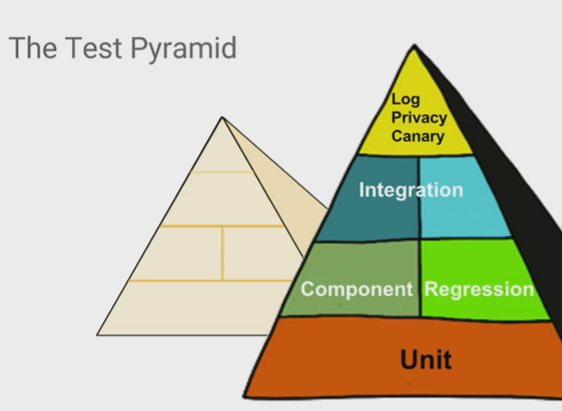
As any other model, this doesn’t say this should fit to every company, but this is the typical idea and what Google follows. You can follow this, but you need to be aware that maybe this is not the best model for your company.

This pyramid shows how much of each type of tests you should focus more. So, in numbers this should be:

  • Unit – 70%
  • Component Regression – 20%
  • Acceptance Criteria – 10%

The top of the pyramid is about test the logs, this is not really a common test, but it is about making sure the behaviour is correct, testing the logs according to the action, the base of your system. For example, Google saves all the data from the users in the logs and keep all these information making sure the data is protected. From bottom to top each stage of test requires high level of domain knowledge, high amount of setup costs, investment, time, machine resources.

The canary tests approach is about pushing the release to a first batch of end users, who are unaware that they are receiving this new code. Because the canary is only distributed to a small number of users, if your company is global remember to have this small group of end users divided per each location, its impact is relatively small and changes can be reversed quickly should the new code prove to be buggy.


screen-shot-2016-12-18-at-22-22-17

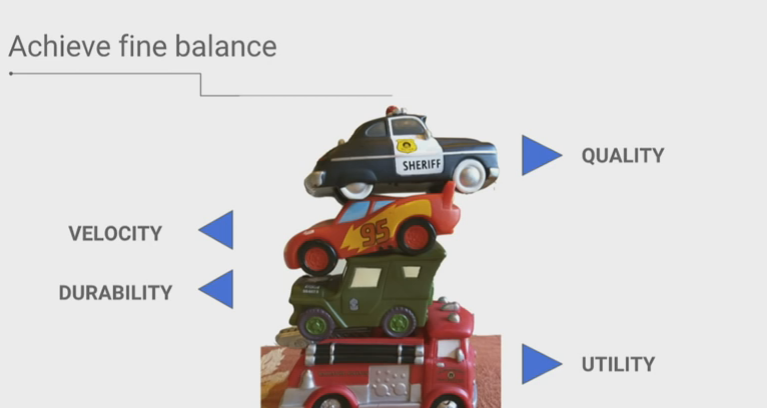
You need to consider all these aspects to build robust automation frameworks that have a utility and usability through the time. You need to consider the velocity of your tests and of course the quality that you can achieve with small and frequently releases, keep in mind they need to work together.


A bad model of test strategy

screen-shot-2016-12-18-at-23-02-34

  • Never test in production environment;
  • Release as much as you can, possibly every time a new feature is aproved;
  • Focus first on unit/smoke tests not the whole system;
  • Create good metrics to show the evolution of the product quality


screen-shot-2016-12-18-at-23-24-28

Google has grown on maturated taking into account different devices, platforms, features.


A good model of test strategy

screen-shot-2016-12-18-at-23-27-08

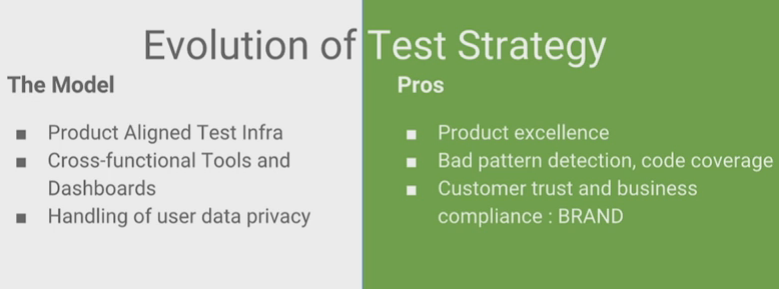
  • Focus on quality of your product and the infrastructure;
  • Stable automation frameworks/tools;
  • Cross functional tools, don’t rely on only one tool for tests.


screen-shot-2016-12-18-at-23-48-07

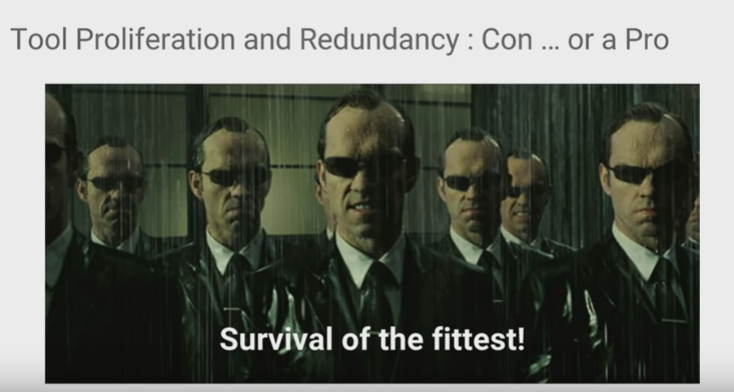
Take care of feature duplication. When a company grows, the number of tests with different goals grow together, but duplicating the same code. This leads to dead code and codes doing the same thing.

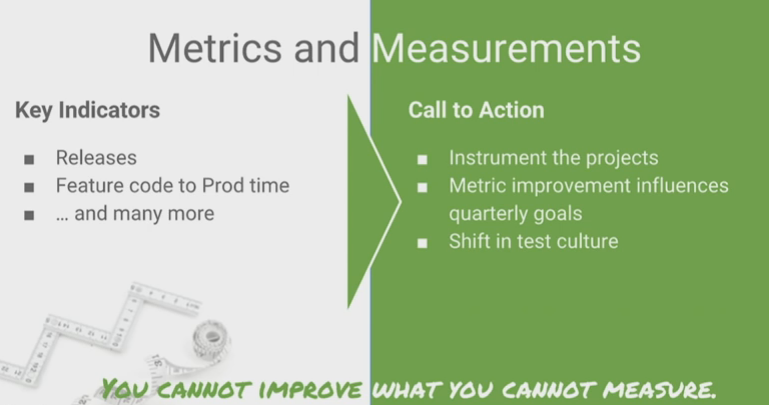
Metrics

screen-shot-2016-12-18-at-23-32-35

You can create metrics about defect leakage of your automation, how long is taking to run the tests, everything will help you to know where you can improve. So, try as much as possible to have clear objectives.

screen-shot-2016-12-18-at-23-35-26

This is the test and release model that Google has at the moment, with some canary testing, monitoring step, frequent releases and feedbacks.

screen-shot-2016-12-18-at-23-38-24

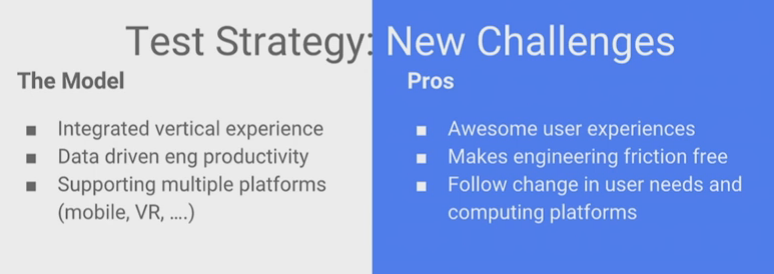
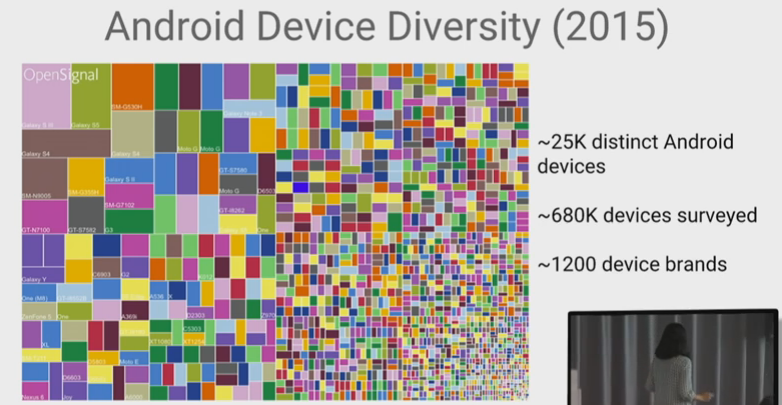
Most of the challenges that were said are the challenges of always, as a company you need to think constantly in growing and hire more people in different teams to work together, also every year we have hundreds of new devices to test and make sure your system is supported.

  • Integration tests between even more components;
  • Make multiple teams work together;
  • Support multiple platforms.

screen-shot-2016-12-18-at-23-41-20


The complete video is here: https://www.youtube.com/watch?v=2yN53k9jz3U

How can you relate software development phases to test life cycle ?

Hi guys, today I will expose the differences between Software Development Cycle and Software Test Life Cycle.


Phase SDLC – Software Development Life cycle STLC – Software Test Life Cycle
Requirements Gathering Gather as much information as possible about the details & specifications of the desired software from the client. This is nothing, but the Requirements gathering stage. QA team identify types of required testing and review the requirements for logical functional integration between features, so that any gaps can be caught at an early stage.
Design Plan the programming language. Which would be suited for the project, also some high-level functions & architecture. Test planning phase, high level of test points. Time to align the QA scenarios with requirements.
Coding Development It is built stage, that is nothing but actually code the software Create the QA scenarios here.
Testing Test phase, now you test the software to verify that it is built as per the specifications given by the client. Test Execution and bug reporting, manual testing, automation testing is done, defects found are reported.
Deployment Deploy the application in the respective environment Re-testing and regression testing is done in this phase. Here you can test the integration with different versions of different components and check the behaviour of the system.
Maintenance Basically, it includes, post production / deployment support & enhancements. Maintenance of the test plan and scenarios. Any other improvements should be done here.


Why QA should be involved since the beginning ?


screen-shot-2016-12-05-at-21-42-01


SDLC vs STLC


screen-shot-2016-12-05-at-21-40-47


Life Cycle Models


Resources:

http://www.softwaretestingstuff.com/2011/09/sdlc-vs-stlcdifferences-similarities.html

http://www.softwaretestingmentor.com/stlc-vs-sdlc/

http://www.guru99.com/software-testing-lifecycle.html

How to deal with data tables in Cucumber and Protractor


So, today I will give a code snippet about how to deal with Cucumber data tables and protractor.

Following the example:


  • Scenario with data table:
 Scenario: Register multiple users from different countries
   Given I want to register multiple users
    | user  | country  |
    | nicko | uk       |
    | pitty | brazil   |
    | slash | us       |
   When I send the form
   Then all the users should be registered


Remember to create the data table with the headers. Don’t forget that data tables are different from examples, here the first step will create a hash table with the data from the table and send it as parameter. Examples are used to run the same scenario with different variables in each run.


  • Related Step Definitions:
'use strict';

var protractor = require('protractor');
var browser = protractor.browser;
var _ = require('lodash');
var Q = require('q');

var RegisterPageSteps = function() {

 this.Given(/^I want to register multiple users$/, function(data) {
    var promises = [];
    var rows = data.hashes();
    //For each row you will get the user and the country
    _.each(rows, function(row) {
       var user = row.user;
       var country = row.country;

       //Here you can add the promises to perform sequentially
       //you can call the promises passing the user and the 
       //country as parameters
       promises.push((addUserCountry(user, country));
    });

    //You can also have promises to be performed that don't need
    //the parameters from the data table
    promises.push(navigateToSubmit());

    //Here you return all the promises
    return Q.all(promises);
  });

 this.When(/^I send the form$/, function(callback) {
    callback();
 });

 this.Then(/^all the users should be registered$/, function(callback) {
    callback();
 });

};

module.exports = RegisterPageSteps;


I have not implemented other functions and steps as the aim here is to show how to deal with the data table in your scenario.

Thank you !

Audio Test Automation – Citrix (GTAC 2016)

Hey guys, today I will share the slides about the Audio Tests on Citrix – GTAC 2016:

screen-shot-2016-11-20-at-18-42-07

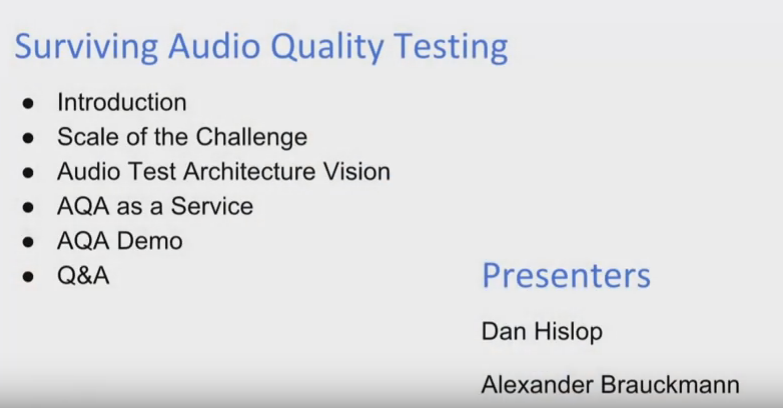
Audio Quality Tests and the current challenges, presenting Dan Hislop and Alexander Brauckmann from Citrix.

screen-shot-2016-11-20-at-18-44-10

Some products from Citrix.

screen-shot-2016-11-20-at-18-47-12

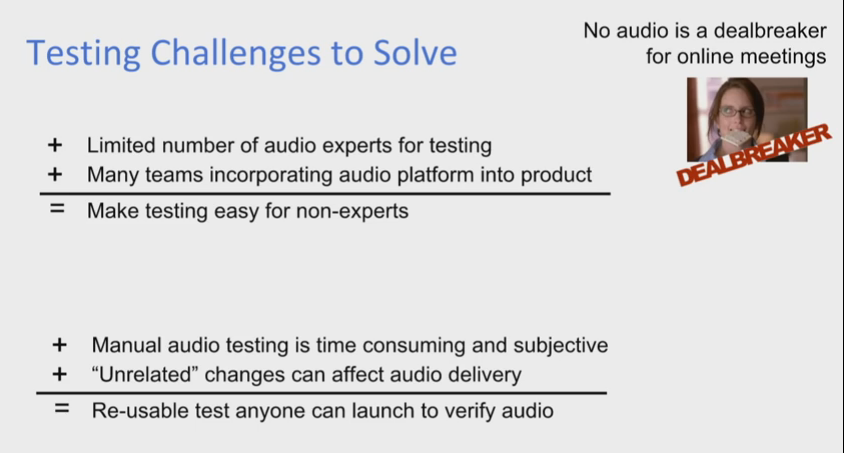
Many challenges we need to face with audio tests: We have limited number of audio test experts, manual audio tests are cost, some scenarios are hard to manual simulate.

screen-shot-2016-11-20-at-18-47-47

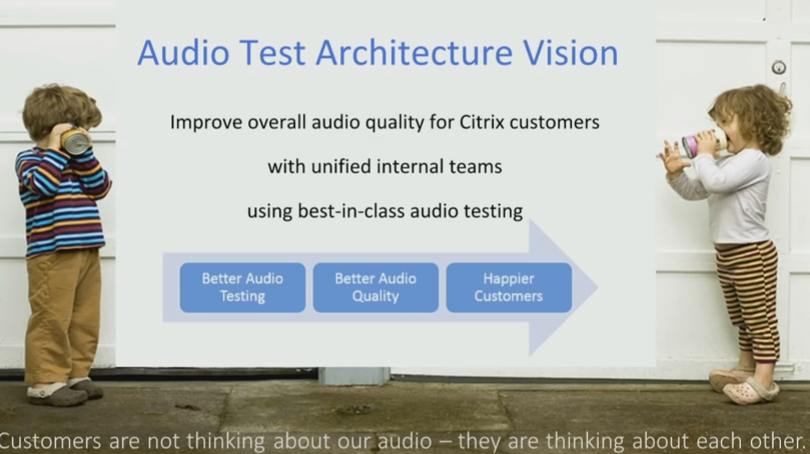
Always improve the quality of the sound that you are receiving and sending. You can live with poor video quality, but you can’t with a poor sound quality. If you miss a key word, you will not understand the context.

screen-shot-2016-11-20-at-18-48-05

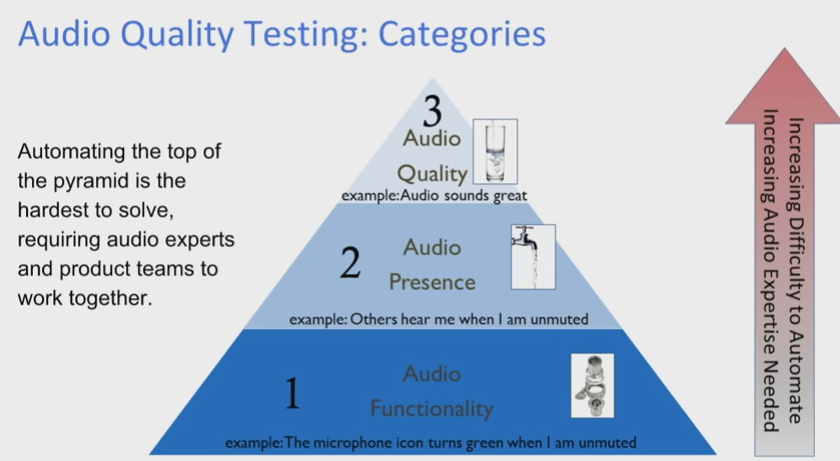
The Audio Test Pyramid shows what you need to start testing. Following this, first test if you are able to receive the audio (Pipes are connected), then check if you are receiving the audio (Water is flowing through the pipes) and the last step is test the quality of the sound (If you can drink this water).

screen-shot-2016-11-20-at-18-50-49

This is how to improve the quality of the audio automation, sharing the common libraries for the client teams, so they are able to test different scenarios.

screen-shot-2016-11-20-at-18-52-59

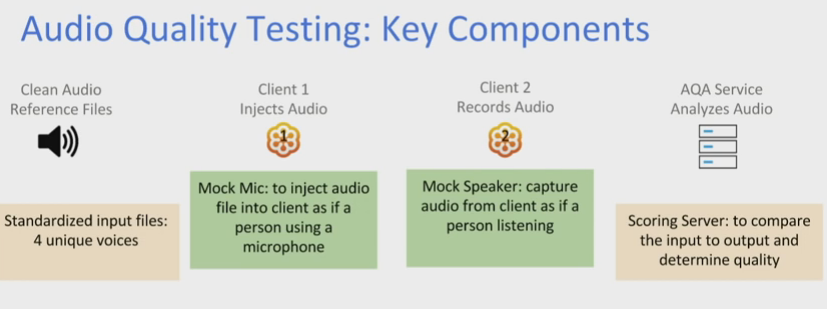
Here you have all the key components: You have the audio data, which will be injected into the first client. Then, you have the second client which will capture the audio from the first client and compare the sound quality between the input and the output.

screen-shot-2016-11-20-at-18-54-33

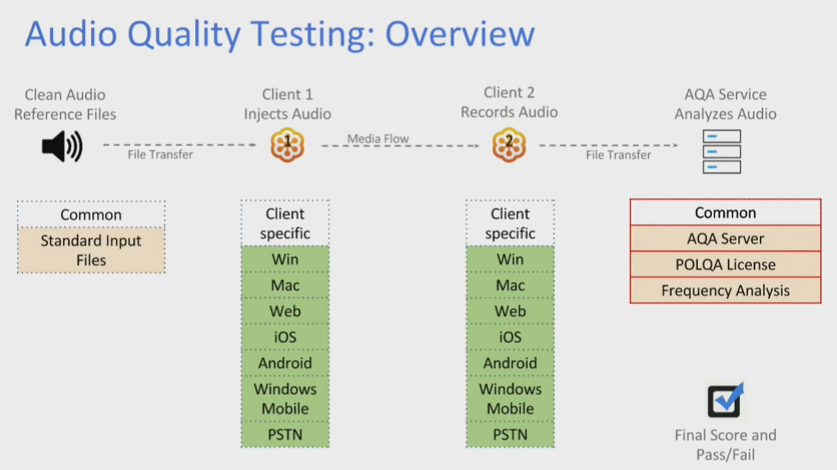
Here you can see all the various platforms you need to test the clients. The input and the output are commons, but the transition of one client to another will make sure the audio is stable on different environments.

screen-shot-2016-11-20-at-18-56-38

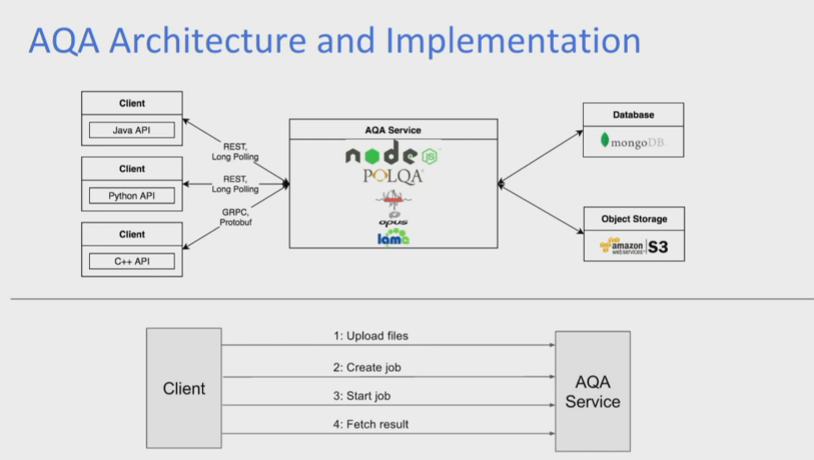
The client upload the audio files to the service and in the end fetch the quality results.

screen-shot-2016-11-20-at-18-59-15

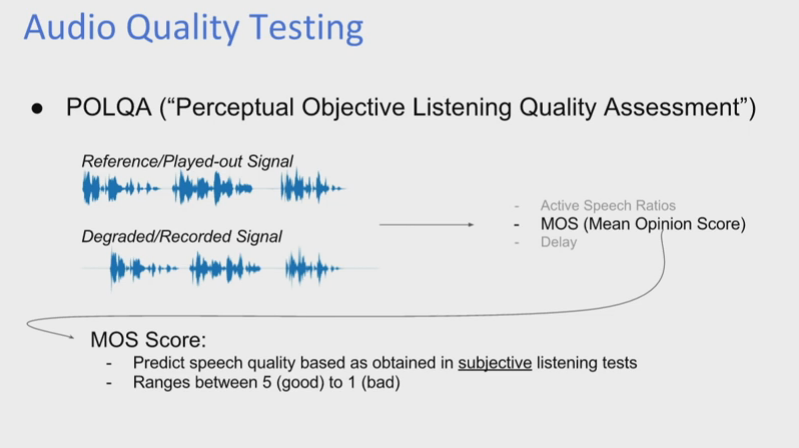
Depending of the MOS score, you are able to confirm the quality of the audio. This score compares the sent and the received audio.

screen-shot-2016-11-20-at-19-00-30

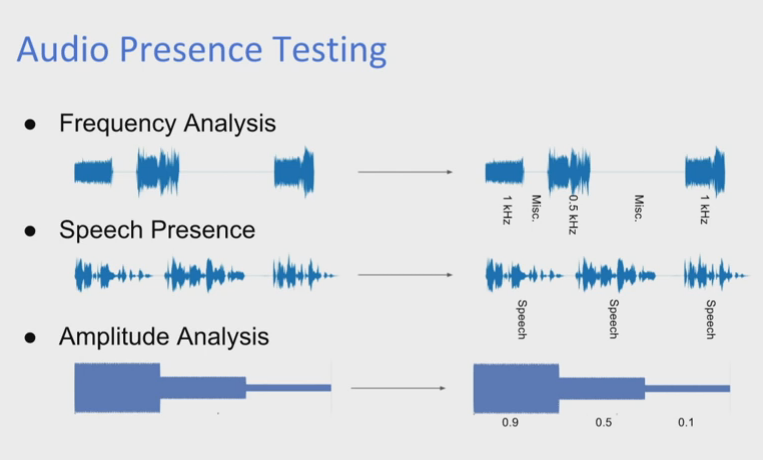
Type of the audio tests you can perform: Frequency Analysis, Speech Presence and Amplitude Analysis with different types of voices, will give you more confidence that the audio works with various voices (kid, adult, women, men, etc).


You can watch the demo here, it will start at 5h 13m 11s:

Thank you GTAC 2016 and Citrix professionals for sharing this !